Is Midjourney Free? Pricing, Plans & Free Alternatives
Short answer: no, Midjourney is not free. There is no free tier, no free trial, and no way to generate images without a paid subscription. Midjourney removed its original free trial back in March 2023 and has never brought it back — making it the only major AI image generator you cannot try before paying.
That surprises a lot of people, because nearly every competitor — ChatGPT, Gemini, Leonardo AI, Stable Diffusion — offers some free access. So what does Midjourney actually cost in 2026, what do you get, and what are the best free alternatives if you’d rather not pay? Let’s break it all down.
Is Midjourney Free? The Direct Answer
No — Midjourney is not free in 2026, and there is no legitimate way to use it without paying. The free trial was discontinued in March 2023 and never returned; every image you generate requires an active paid subscription starting at $10/month. If a website promises “free Midjourney access,” it’s either a scam, a different tool with a similar name, or someone else’s paid account — none of which you should trust with your prompts or payment details.
Midjourney Pricing in 2026: The Four Plans
Midjourney keeps pricing refreshingly simple compared to the credit chaos of other AI tools. You don’t buy credits or tokens — you buy Fast GPU hours per month, in four flat tiers:
| Plan | Monthly | Annual (per month) | Fast GPU time | Relax mode | Stealth (private) mode |
|---|---|---|---|---|---|
| Basic | $10 | $8 | 3.3 hrs (~200 images) | No | No |
| Standard | $30 | $24 | 15 hrs (~900 images) | Unlimited | No |
| Pro | $60 | $48 | 30 hrs (~1,800 images) | Unlimited | Yes |
| Mega | $120 | $96 | 60 hrs (~3,600 images) | Unlimited | Yes |
Annual billing cuts 20% off every tier (paid upfront for the full year). A few important details:
- Fast GPU hours reset monthly even on annual plans — they don’t accumulate.
- Relax mode (Standard and up) means unlimited slower generations once your fast hours run out. Queue times run roughly 1–10 minutes per image instead of seconds, but there’s no hard cap.
- Stealth mode keeps your generations private instead of appearing in the public gallery — locked behind Pro and Mega.
- Extra fast time can be topped up at $4/hour on any plan.
- Commercial use is included for subscribers — but companies earning over $1,000,000 in annual revenue are contractually required to be on Pro or Mega.
Which plan should you choose?
- Basic ($10): fine for testing the waters and occasional personal projects — but ~200 images a month runs out fast if you’re iterating. One moderately active project can burn through it.
- Standard ($30): the sweet spot for most freelancers and regular creators. Unlimited Relax mode means you never fully run dry; fast hours cover time-sensitive work.
- Pro ($60): for heavy users, studios, and anyone who needs Stealth mode for client privacy.
- Mega ($120): high-volume production work where 60 fast hours a month still isn’t overkill.
Why Isn’t There a Free Tier?
Midjourney is a self-funded, roughly 60-person research lab. Its business model is pure subscription: no advertising, no freemium funnel, no API upsell as the core. CEO David Holz has openly said that making the product faster will likely push prices up, not down — GPU time is the product, and GPU time costs real money.
The free trial’s removal in 2023 was driven by abuse (mass fake-account generation) as much as economics. Since then, Midjourney has bet that its output quality — the distinctive painterly, cinematic “house style” that made it famous — justifies a paywall competitors don’t have. For many working designers, it does. For casual users, it’s a legitimate barrier: you pay $10 minimum just to see what it can do.
What You Get: Features in 2026
A subscription buys more than generations. The current platform (default model V8.1, with V8.2 rolling out as a refinement pass) includes:
- Text-to-image generation — describe an image, get four variations in seconds, then upscale, vary, or remix.
- Web app interface — Discord used to be the only way in; now most users work from the browser at midjourney.com, with Discord as an optional sign-in method. You need a Google or Discord account to sign up.
- Image-to-video — animate stills into clips up to ~21 seconds.
- Niji mode — tuned for anime and illustrated styles.
- Inpainting and outpainting — edit parts of an image or extend beyond its borders, with a built-in web editor.
- Omni Reference — keep objects and characters consistent across generations.
- Accurate text rendering — dramatically improved in recent versions, making Midjourney practical for marketing materials, thumbnails, and presentations.
- Personalization — the model tunes itself to your taste over time.
For the official documentation on all of this, see the Midjourney docs. Current plan details and pricing are listed on the official Midjourney website.
Midjourney Pricing History: Will It Ever Be Free Again?
Don’t hold your breath. The pricing structure — $10/$30/$60/$120 — has been remarkably stable for years, with the Mega tier added as the top end grew. What has changed around the pricing:
- 2023: free trial removed; Discord-only access.
- 2024: web app launched, lowering the barrier to entry (no Discord needed).
- 2025: V7 brought major quality jumps — better text rendering, Omni Reference, built-in editor — increasing the value per dollar without changing prices.
- 2026: V8.1/V8.2 models, image-to-video, annual billing at 20% off across all tiers.
The pattern is clear: Midjourney improves the product and keeps prices flat rather than discounting. CEO David Holz has suggested prices may rise as the product gets faster and more capable. If anything, the $10 entry point is more likely to go up than to sprout a free tier. The company’s bet — so far a winning one — is that best-in-class aesthetics justify a paywall in a market full of free alternatives.
How to Sign Up for Midjourney
- Go to midjourney.com and sign in with a Google or Discord account.
- Choose a plan (Basic through Mega) and billing frequency (monthly or annual).
- Enter payment details — billing is in USD.
- Start prompting in the web app. Your fast GPU hours begin counting immediately.

There’s no trial step and no free images along the way — the meter starts the moment you subscribe, so have your first prompts ready before you pay.
Understanding GPU Time: How Midjourney’s Metering Actually Works
Midjourney doesn’t count images — it counts GPU minutes. This confuses new users, so here’s the plain-English version:
- Every generation job consumes GPU time based on its complexity: resolution, variation count, upscaling, and HD rendering all cost more.
- A standard image grid (four variations) on default settings costs roughly 1 GPU minute. That’s where the “~200 images on Basic” figure comes from: 3.3 hours ≈ 200 minutes ≈ 200 standard jobs.
- Upscaling costs extra GPU time on top of the initial grid. HD jobs cost roughly 4× standard time.
- Video generation burns through fast hours much faster than still images — a few clips can eat an hour.
Practical consequence: if you upscale everything and reroll constantly, your “200 images” might really be 60–80 finished pieces. Budget-conscious users should be selective: generate grids freely, upscale only keepers. On Standard and above, push experimentation into Relax mode and save fast hours for final outputs.
Fast mode vs. Relax mode
| Fast mode | Relax mode | |
|---|---|---|
| Speed | Seconds per job | ~1–10 minutes per job |
| Availability | All plans (metered) | Standard, Pro, Mega (unlimited) |
| Best for | Client deadlines, rapid iteration | Overnight batches, exploration |
The workflow most professionals settle into: draft and explore in Relax, switch to Fast when something needs to exist now. On Basic, there is no Relax — every job spends fast time, which is why Basic feels restrictive so quickly.
Stealth mode: when privacy matters
By default, Midjourney generations appear in the public website gallery — anyone can browse them. Stealth mode (Pro and Mega only) keeps your prompts and images private. If you do client work, unreleased product concepts, or anything under NDA, Stealth isn’t optional — it’s the cost of doing business on the platform. Note that “private” still means stored on Midjourney’s servers; it just isn’t publicly listed.
Midjourney for Teams and Businesses
A few business-specific rules worth knowing before you expense it:
- The $1M rule. Companies with over $1,000,000 in gross annual revenue must subscribe to Pro ($60/mo) or Mega ($120/mo) to retain ownership/commercial rights under the terms of service. This isn’t a suggestion — it’s contractual.
- Seats vs. sharing. Midjourney subscriptions are per-account, not per-seat with team management. Teams typically run individual Pro seats or a shared Mega account, depending on their workflow and security policies.
- No enterprise tier. Unlike OpenAI or Adobe, Midjourney has no custom enterprise plan with SSO, audit logs, or dedicated support. What you see on the pricing page is what exists.
For freelancers billing clients for AI-assisted work, Standard at $30/month is usually the rational starting point; move to Pro when client confidentiality demands Stealth mode.
How to Stretch the $10 Basic Plan
If you’re testing Midjourney on Basic, make those 3.3 hours count:
- Write better first prompts. Every reroll costs GPU time. Spend two minutes refining the prompt in a text doc before generating — it’s cheaper than four blind variations.
- Use –test sparingly. Test and draft modes still consume time; reserve them for genuinely uncertain concepts.
- Upscale only winners. The grid preview is free-ish; the upscale is where hours vanish. Pick one, commit.
- Avoid HD until you need it. At ~4× cost, HD is for final deliverables, not exploration.
- Track your usage. The account page shows remaining fast hours — check it weekly so the meter doesn’t surprise you mid-project.
Follow these and Basic can genuinely answer the question “is Midjourney worth $30/month to me?” If you blow through it in a week without discipline, that’s also an answer.
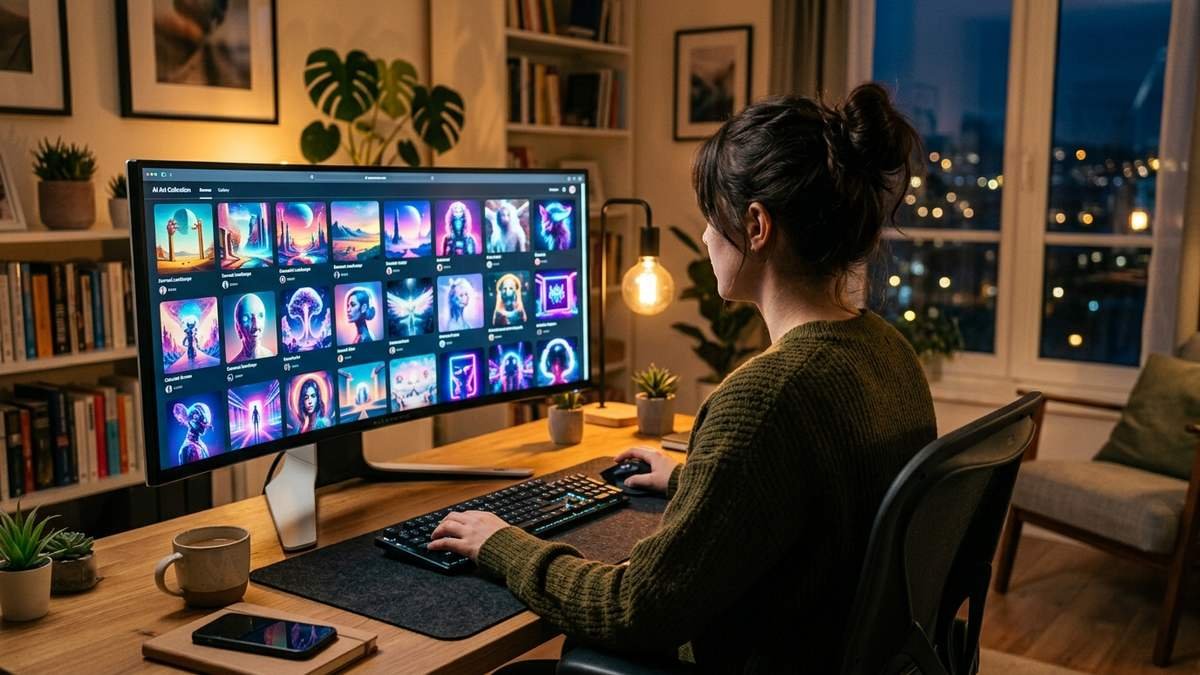
Free Alternatives to Midjourney
If the paywall is a dealbreaker, you have genuinely good free options — each with tradeoffs:
The same ‘free alternative’ logic applies elsewhere — see our guide to free CheaterBuster alternatives for dating-profile searches. free CheaterBuster alternatives guide
Leonardo AI — the closest free tier
Leonardo AI offers a real free plan (around 150 tokens per day) plus paid tiers starting near $12/month. It’s the most Midjourney-like alternative with a free on-ramp: strong stylistic control, canvas editing, and commercial-friendly terms on paid plans. If you want to try before you buy anything, start here.
Stable Diffusion — free and unlimited (if you have the hardware)
Stable Diffusion is open-source. Run it locally and generation is free and unlimited — no subscriptions, no meters, full privacy. The catch: you need a decent GPU, and you’ll spend time on setup, models, and prompt tuning that Midjourney handles for you. For tinkerers and privacy-conscious users, it’s unbeatable value.
ChatGPT / Gemini image generation — free within chat limits
Both ChatGPT’s free tier and Gemini include image generation (GPT Image models on the ChatGPT side). Quality and art direction lag behind Midjourney’s house style, but for quick illustrations, thumbnails, and mockups at zero cost, they’re remarkably capable. See Is ChatGPT Free? 12 Essential Things to Know in 2026 for what’s included free — and our guides on whether Gemini is free and whether Claude Code is free if you’re comparing AI tools more broadly.
Quick comparison
| Tool | Free access | Entry paid price | Standout trait |
|---|---|---|---|
| Midjourney | None | $10/mo | Best default aesthetics |
| Leonardo AI | Yes (daily tokens) | ~$12/mo | Free tier + control |
| Stable Diffusion | Yes (self-hosted) | $0 (your GPU) | Unlimited, private |
| ChatGPT/Gemini | Yes (with limits) | $0–$20/mo | Convenience inside chat |
Midjourney vs. The Field: Is It Worth Paying For?
Honest assessment:
Video creators also use Midjourney art for thumbnails and posters — pair them with rendered animation by following our walkthrough on how to render and export movies in Source Filmmaker.
Pay for Midjourney if: your work lives or dies on image aesthetics — concept art, marketing visuals, book covers, brand imagery — and you’d rather get beautiful defaults than engineer prompts for an hour. The Standard plan’s unlimited Relax mode is the real value unlock for working creatives.
Skip it if: you generate images occasionally, you’re budget-constrained, or you enjoy tinkering — Leonardo’s free tier or local Stable Diffusion will serve you well. And if your image needs are casual (blog thumbnails, social posts), the free image generation inside ChatGPT or Gemini is probably enough.
The $10 Basic plan is best thought of as a paid trial: enough to learn whether Midjourney’s style is worth $30/month to you, not enough to run a workflow on.
Frequently Asked Questions
Is Midjourney free in 2026?
No. There is no free plan and no free trial. The cheapest entry point is the $10/month Basic plan ($8/month billed annually).
Did Midjourney ever have a free trial?
Yes — briefly, at launch. The free trial was removed in March 2023 due to abuse and high demand, and it has never returned.
Can I use Midjourney without Discord?
Yes. The web app at midjourney.com is now the primary interface; Discord is optional (mainly as a sign-in method and community space).
How many images do I get per month?
It depends on the plan and how you generate: Basic ≈ 200 images (3.3 fast GPU hours), Standard ≈ 900 fast images plus unlimited Relax-mode generations, Pro ≈ 1,800 fast + unlimited Relax, Mega ≈ 3,600 fast + unlimited Relax. Upscaling and HD jobs consume GPU time faster.
Can I use Midjourney images commercially?
Yes, on any paid plan under standard commercial terms. One exception: companies with over $1M in gross annual revenue must subscribe to Pro or Mega.
What happens if I cancel?
You keep access until the end of your billing period, then lose generation access. Your gallery and account remain; you can resubscribe anytime.
Is there a student discount?
Midjourney does not offer a standard student discount. Annual billing (20% off) is the main way to lower the effective monthly cost.
Does unused GPU time roll over?
No. Fast hours reset every month, even on annual plans. Use them or lose them — which is another reason Standard’s unlimited Relax mode matters: it gives you a floor of capacity that never expires mid-month.
Can I pause my subscription instead of canceling?
Midjourney doesn’t offer a formal pause feature. Your options are cancel-and-resubscribe (you keep your gallery and account) or drop to a cheaper tier for quiet months. Many users bounce between Basic and Standard seasonally.
Is Midjourney better than DALL-E or Stable Diffusion?
“Better” depends on the job. Midjourney’s default output looks more like finished art with less prompt engineering — that’s its famous house style. DALL-E (via ChatGPT) is more convenient and follows complex instructions well. Stable Diffusion is free, private, and infinitely customizable if you have the hardware and patience. For pure aesthetic defaults, most designers still pick Midjourney; for everything else, it’s a toss-up.
The Bottom Line
Midjourney’s answer to “is it free?” is the bluntest in the industry: no, and it doesn’t apologize for it. $10/month minimum, $30/month for the plan most working creatives actually need, and some of the best-looking AI images you can generate. If aesthetics are your business, it’s worth every cent. If they’re a nice-to-have, the free tier of Leonardo AI, self-hosted Stable Diffusion, or the image generation baked into free ChatGPT and Gemini will take you surprisingly far — for $0.