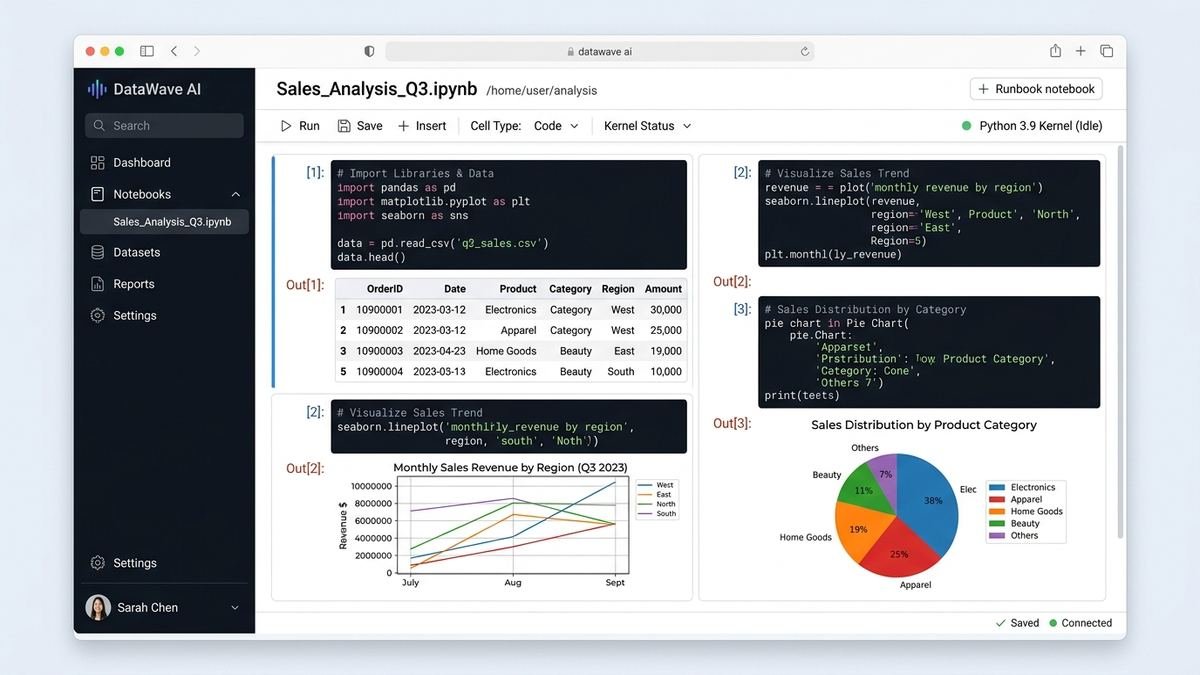
Databricks Community Edition: What Happened & the Free Alternative
If you are searching for Databricks Community Edition in 2026, here is the short answer: it no longer exists. Databricks retired Community Edition on January 1, 2026, and existing accounts are no longer accessible. The good news is that Databricks replaced it with something better — the Databricks Free Edition, a serverless free tier that needs no credit card and no cloud account.
This guide explains what Community Edition was, why it was retired, what the Free Edition offers, how the two compare, and how to get started (or migrate) today.
Databricks at a Glance: What the Platform Actually Is
If you found this page while searching for a free way to learn data engineering, a quick orientation helps. Databricks is a cloud data platform built on Apache Spark — the open-source engine for processing large datasets across clusters of machines. Companies use it for ETL pipelines, SQL analytics, machine learning, and increasingly for AI workloads like serving large language models.
The platform’s core ideas:
- Lakehouse architecture: combines the low-cost storage of a data lake with the reliability features (ACID transactions, schema enforcement) of a data warehouse, via the Delta Lake storage format.
- Notebooks: collaborative documents where you mix code (Python, SQL, Scala), visualizations, and text — the primary way people interact with Databricks.
- Workflows: scheduled, orchestrated jobs that run your notebooks and pipelines in production.
- Unity Catalog: the governance layer — who can access which data, with audit trails.
- Mosaic AI: Databricks’ suite for building and serving machine-learning and generative-AI applications.
Community Edition exposed a slice of the first two items. The Free Edition exposes a slice of all five. That progression — from “try Spark” to “try the platform” — is the real story of the retirement.
What Was Databricks Community Edition?
For nearly a decade, Databricks Community Edition (CE) was the free on-ramp to the Databricks Data Intelligence Platform. It gave anyone with an email address a small, personal Databricks workspace in the cloud — no credit card, no AWS or Azure account required.
It was built for learning: students working through Apache Spark tutorials, data analysts practicing SQL on sample datasets, and developers prototyping notebooks before pitching Databricks to their employer. The environment included a single-node Spark cluster, notebook support for Python, SQL, Scala, and R, and a handful of built-in sample datasets like the NYC taxi trips data.
But it was deliberately limited. The classic CE constraints were:
- Single user only — no collaboration or shared workspaces
- Small fixed cluster — roughly 6 GB of RAM on a single node
- Cluster auto-terminated after 2 hours of inactivity
- About 15 GB of storage
- No job scheduling or Workflows
- No Unity Catalog data governance
- No REST API access and no mounting external storage
- Community support only, with no SLA
For learning Spark basics, that was plenty. For anything resembling real work, you outgrew it fast — which was exactly the point.
Why Was Community Edition Retired?
In December 2025, Databricks announced that Community Edition would be retired at the end of the year. On January 1, 2026, Community Edition accounts became inaccessible, and Databricks provided a migration path to move notebooks and assets to the new Free Edition.
The retirement made architectural sense. Community Edition ran on an older design: classic single-node clusters that Databricks had to provision and manage per user. The new Free Edition runs on serverless compute — the same modern architecture as Databricks’ paid tiers — which lets Databricks offer a free tier that is cheaper to operate and closer to the real product. For learners, that means the free environment now behaves much more like what you would use at work.
If you had a Community Edition workspace, Databricks offered an automated “Move to Free Edition” migration flow. If you never migrated and your CE account is gone, your old notebooks are unfortunately not recoverable through Databricks — another reason to keep local exports of anything important.
The Replacement: Databricks Free Edition

The Databricks Free Edition is the current free tier, and it is a meaningful upgrade over what Community Edition offered:
- No credit card and no cloud account required — sign up with just an email
- No expiration for personal use — unlike the 14-day trial, it does not time out
- One serverless workspace with serverless compute, notebooks, and SQL
- A 2X-Small SQL warehouse for BI-style queries
- Lakeflow pipelines (one active pipeline per type), Auto Loader, and limited job tasks
- AI features in limited form: model serving endpoints, one vector search endpoint, Genie dashboards
- One Databricks App with a 24-hour runtime limit
In other words, the free tier went from “a toy cluster for tutorials” to “a genuinely useful personal data workspace.” You can build real pipelines, query real data, and experiment with Databricks’ AI features without paying anything.
Community Edition vs Free Edition
| Feature | Community Edition (retired) | Free Edition (current) |
|---|---|---|
| Cost | Free | Free |
| Credit card required | No | No |
| Cloud account required | No | No |
| Expiration | None (while it existed) | None for personal use |
| Compute model | Single classic cluster | Serverless |
| Cluster size | ~6 GB single node | Limited serverless |
| Idle timeout | 2 hours | Managed automatically |
| SQL warehouses | No | One 2X-Small |
| Workflows / Jobs | No | Limited (max 5 concurrent tasks) |
| Lakeflow pipelines | No | One active per type |
| Unity Catalog | No | Basics included |
| AI / Genie features | No | Limited |
| Status | Retired Jan 1, 2026 | Available now |
Free Edition Limitations to Know
The Free Edition is generous, but it is still a free tier. The documented limitations include:
- One workspace only — no multi-workspace setups
- Serverless compute only — you cannot configure classic clusters, custom VM types, or GPUs
- Limited compute size and usage — heavy or sustained workloads will hit caps
- No R or Scala in some configurations — Python and SQL are the primary languages
- No custom storage — you work within Databricks-managed storage
- No enterprise features — no advanced security, compliance, or admin controls
- Limited authentication options compared to paid tiers
For the full, current list, Databricks maintains the Free Edition limitations documentation, which is worth reading before you plan a project around it.
How to Migrate from Community Edition to Free Edition
If you still have access to a Community Edition workspace (for example, through a cached session) or you are coming back after the retirement:
- Export everything now. Download notebooks as
.ipynbor.dbcfiles and export any tables or data you care about. Do not assume the workspace will be there tomorrow. - Sign up for Free Edition at databricks.com/try-databricks — no credit card needed.
- Use the migration flow if Databricks surfaces the “Move to Free Edition” option in your old workspace; it automates much of the transfer.
- Re-import your notebooks into the new workspace and re-run them top to bottom — serverless compute behaves slightly differently from the old single-node cluster, so verify outputs.
- Recreate any data connections. Paths and mounts from CE do not carry over; re-upload datasets or reconnect sources.
Signing Up for Databricks Free Edition: Step by Step
- Go to databricks.com/try-databricks and choose the Free Edition (not the 14-day trial — the trial requires a credit card and expires).
- Register with your email and verify it.
- Databricks provisions your serverless workspace — this usually takes a few minutes.
- Open a notebook, attach it to the serverless compute, and run a quick test:
python

   df = spark.createDataFrame([("Alice", 25), ("Bob", 30)], ["name", "age"])

display(df) - Explore the built-in sample datasets to practice SQL and PySpark without uploading anything.
When to Upgrade Beyond Free
The Free Edition covers learning and personal projects. Consider a paid tier — and read our Databricks pricing guide first — when you need:
- Team collaboration with shared workspaces and Unity Catalog governance
- Scheduled production pipelines with SLAs
- Larger compute, GPUs, or classic cluster control
- Enterprise security (SSO, audit logs, compliance certifications)
Databricks’ paid pricing is DBU-based (Databricks Units per workload type), and the jump from free to paid is really a jump from personal experimentation to production data engineering.
What People Actually Built on Community Edition
Community Edition earned its loyal following because it removed every barrier to trying Spark. Typical projects included:
- Learning PySpark end to end: reading CSVs, filtering, grouping, and joining DataFrames — the full data-engineering kata.
- SQL practice on real-ish data: the built-in NYC taxi dataset let analysts write window functions and aggregations against millions of rows.
- Delta Lake experiments: creating Delta tables, running
MERGEupserts, and using time travel to query older table versions. - MLflow tracking basics: logging parameters and metrics from scikit-learn runs.
- Portfolio projects: students and career-switchers built GitHub-ready notebooks proving Spark competence to employers.
A classic first notebook looked like this:
df = spark.read.option("header", True).csv("/databricks-datasets/nyctaxi/tripdata/yellow/yellow_tripdata_2019-12.csv.gz")

df.groupBy("passenger_count").avg("fare_amount").show()

df.write.format("delta").mode("overwrite").saveAsTable("nyctaxi_sample")
Everything in that workflow still works on the Free Edition — the APIs did not change, only the compute underneath.
Free Edition Hands-On: Your First Hour

Here is a practical walkthrough for the first hour in a new Free Edition workspace:
0–10 minutes: setup. Sign up, verify email, wait for the serverless workspace. Open the workspace sidebar and create a folder for your project.
10–25 minutes: notebooks. Create a Python notebook and run the DataFrame test from the signup section above. Then create a SQL notebook and query a sample dataset:
SELECT passenger_count, AVG(fare_amount) AS avg_fare, COUNT(*) AS trips
FROM samples.nyctaxi.trips
GROUP BY passenger_count
ORDER BY trips DESC
LIMIT 10;
25–40 minutes: SQL warehouse. Open SQL Warehouses, start the 2X-Small warehouse, and run the same query there to feel the difference between notebook-attached compute and a dedicated warehouse.
40–60 minutes: pipelines. Create a Lakeflow declarative pipeline with a single Bronze ingestion query, then add a Silver cleaning step. Even one pipeline teaches you the medallion-architecture pattern that production Databricks teams use daily.
Save your notebooks (they auto-save, but export .ipynb copies for backup), and you have completed a meaningful first session.
Free Edition vs 14-Day Trial vs Paid Tiers
| Free Edition | 14-day Trial | Paid (Premium) | |
|---|---|---|---|
| Price | $0 forever (personal use) | $0 for 14 days | DBU-based billing |
| Credit card | Not required | Required | Required |
| Cloud account | Not required | Required (you pay infra) | Required |
| Compute | Serverless, limited | Full (classic + serverless) | Full |
| Workspaces | 1 | Full | Unlimited |
| SQL warehouse | 1× 2X-Small | Full | Full |
| Unity Catalog | Basics | Full | Full |
| Best for | Learning, personal projects | Evaluating for a team | Production |
The trial is for teams doing a bake-off; the Free Edition is for humans learning. Do not start the trial “just to look around” — use Free Edition for that.
Common Gotchas for Ex-Community Edition Users
Moving from the old CE to Free Edition is mostly smooth, but a few differences trip people up:
- No cluster to start. On CE you clicked “start cluster” and waited. On serverless, compute attaches in seconds — but the first run of the day can still take a minute to warm up. Do not mistake that for an error.
- DBFS paths changed. Hard-coded
/dbfs/...paths from old notebooks may not resolve. Prefer Unity Catalog volumes or re-upload data and update paths. - Timeouts behave differently. CE killed your cluster after 2 idle hours; serverless manages its own lifecycle. Long-running notebook cells can still hit execution limits, so break big jobs into smaller steps.
- Some packages are gone. If your old notebook used
%sh pip installfor an exotic library, verify it installs cleanly on the serverless runtime — most common ones do, but check. - Sharing works now — carefully. CE was single-user, so people got sloppy with secrets in notebooks. Free Edition supports sharing; scrub credentials before you share anything.
Frequently Asked Questions
Is Databricks Community Edition still available?
No. Community Edition was retired on January 1, 2026, and old accounts are no longer accessible. Use the Free Edition instead.
Is Databricks Free Edition really free?
Yes — no credit card, no cloud account, and no expiration for personal use. You only pay if you upgrade to a paid tier or use the separate 14-day trial (which bills your cloud provider for infrastructure).
What is the difference between Free Edition and the 14-day trial?
Free Edition is perpetual but limited (serverless only, small scale). The trial is full-featured for two weeks but requires a credit card and your own cloud account, and your cloud provider charges you for the VMs.
Can I run production workloads on Free Edition?
Not sensibly. It is designed for learning and personal use — one workspace, limited compute, no enterprise features. Production belongs on a paid tier.
Does Free Edition include AI features?
In limited form: you get restricted model serving, one vector search endpoint, and Genie dashboards. Full Mosaic AI capabilities require paid tiers.
I learned Spark on Community Edition — is my knowledge still valid?
Absolutely. Notebooks, PySpark, Spark SQL, and Delta Lake all work the same way. The main adjustment is serverless compute behavior (no cluster to babysit) and some newer UI elements.
Can I use Free Edition for a university course or bootcamp?
Yes — it is a popular choice for instructors because every student can sign up without a credit card. Just be aware of the one-workspace and limited-compute constraints when designing assignments, and have students export their notebooks for grading.
Final Thoughts
Databricks Community Edition served its purpose as the free front door to Spark and Databricks, but as of 2026 that door has a new name: Free Edition. It is free, it does not expire, and it is built on the same serverless architecture as the paid product — making it a better learning environment than Community Edition ever was. The skills transfer directly: PySpark, Spark SQL, Delta Lake, and notebook workflows are identical, so nothing you learned is wasted.
Sign up at the Databricks Free Edition page, export anything valuable from old workspaces first, and if your ambitions grow beyond personal projects, our Databricks pricing breakdown will help you understand what production actually costs. For perspective on where data platforms are heading alongside new compute paradigms, see our piece on the latest quantum computing breakthroughs — and if you use an AI assistant while learning, our ChatGPT vs Copilot comparison can help you choose one.