
How to Use Grok AI: A Complete 2026 Setup and Feature Guide
Grok is xAI’s AI assistant, built into the web app at grok.com, standalone iOS and Android apps, and the X platform. If you’ve never opened it before, the interface itself isn’t the hard part — most people are typing their first prompt within a couple of minutes. The part that trips people up is everything around it: which surface to use, what the free tier actually includes, when DeepSearch beats a normal chat, and how image and video generation are billed differently from text. This guide walks through how to use Grok AI from account setup to its more advanced tools, based on xAI’s own product documentation.
What You Need Before You Start
You do not need an X (Twitter) account to use Grok. You can sign in at grok.com or through the mobile apps with an email address or a Google account, and your conversations, settings, and subscription stay synced across every platform you use. If you already have an X account, linking it lets Grok pull in any Premium benefits you’re entitled to, but it’s optional.
There’s no software to install for the standard chat experience — everything runs in the browser or the app. Developers who want to call Grok from their own code will need a separate xAI API key, which is billed differently from the consumer plans and is covered later in this guide.
How to Use Grok AI: Step-by-Step Setup


1. Create Your Account
Go to grok.com (or open the app) and sign up with an email, Google account, or your X login. Verify your email if prompted, and you’ll land directly in a new chat window — no onboarding tutorial to click through.
2. Start a Conversation
Type a question or task into the message box the same way you would with any chatbot. Grok responds in plain conversational text by default, and you can keep the thread going, ask follow-ups, or start a fresh conversation for an unrelated topic.
3. Turn On DeepSearch for Research Tasks
For questions that need current information — news, prices, ongoing events — switch on DeepSearch mode using the toggle near the message box. Instead of answering from static training data, Grok actively scans the web and, when relevant, X posts, then returns a synthesized answer with inline source citations. This is the feature to reach for instead of a plain chat when the answer depends on what’s happening right now.
4. Generate or Edit Images
Grok Imagine handles image and video generation. Describe what you want in plain language — style, subject, composition — and Grok produces a set of options to choose from. You can also upload one of your own photos and ask Grok to edit it: change the background, adjust lighting, or restyle it, rather than generating something from scratch. Image and video generation draw from a separate, more limited usage allowance than text chat, so heavy creative use is one of the more common reasons people upgrade from the free tier.
5. Use Voice Mode for Hands-Free Conversations
Tap the voice icon to talk to Grok out loud instead of typing. It’s useful for brainstorming while doing something else, or for quick questions where typing feels slower than speaking.
6. Try Code Execution for Technical Tasks
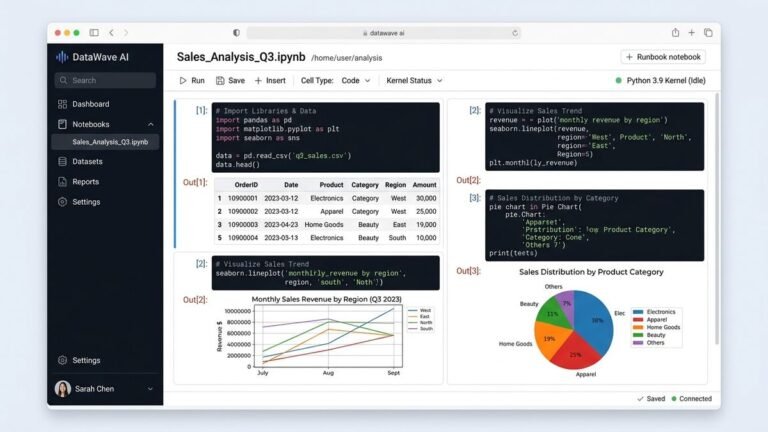
If you’re working with data or code, Grok can run scripts in a sandboxed environment and return real output rather than just describing what code would theoretically do. This is useful for quick calculations, debugging a snippet, or testing a small data-analysis task without leaving the chat.
Is Grok AI Free to Use?
Yes. Grok has a free tier on grok.com and in the mobile apps that doesn’t require a paid subscription. According to xAI’s documentation, free access covers chat, a lighter model, and basic real-time search, but it runs on its own limited usage allowance that’s separate from the paid weekly pool. Image and video generation through Grok Imagine has tighter restrictions on the free tier than on paid plans, and access to the most capable reasoning models is reserved for subscribers.
If you’re asking how to use Grok AI unlimited for free — you can’t, at least not in the sense of removing usage caps entirely. What you can do is keep your usage light (short, spaced-out sessions rather than continuous heavy use) and rely on the free model for everyday questions, saving paid features for when you actually need DeepSearch, Big Brain reasoning, or high-volume image generation.
Grok’s Paid Plans
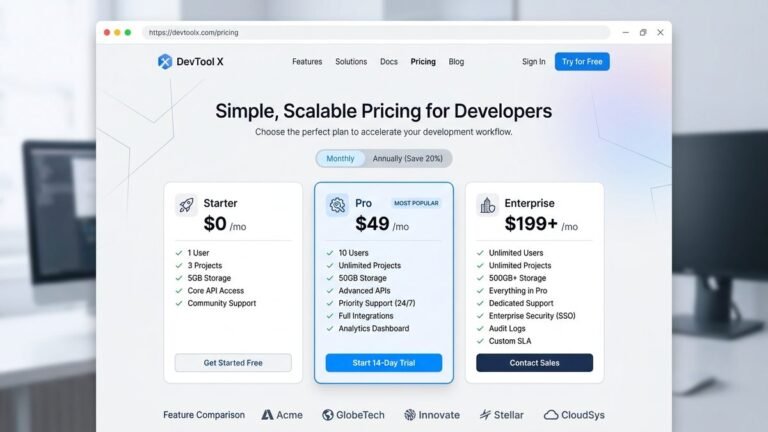
Paid tiers exist mainly to raise usage limits and unlock the newest models, not to add fundamentally different chat behavior. As of xAI’s current pricing page, the lineup includes:
- SuperGrok — the standard paid plan, aimed at daily users who want higher limits, faster responses, and access to the latest model generation.
- SuperGrok Heavy — a higher-priced tier built for compute-heavy work, adding a multi-agent reasoning mode for complex, multi-step problems.
- Grok Business — a per-seat plan for teams, with centralized billing and a guarantee that conversation data isn’t used for model training.
- Enterprise — custom pricing with dedicated infrastructure, SSO, and compliance features for larger organizations.
Exact prices and limits shift fairly often, so check the official pricing page directly before subscribing rather than relying on a fixed number from any single article — this one included.
Where Can I Use Grok AI?

Grok is available in three places: the standalone web app at grok.com, the official iOS and Android apps, and inside X for users with a qualifying subscription. The standalone app and website give you the full feature set without needing to touch X at all. Inside X, Grok is more tightly integrated with the platform — you can ask it to summarize a post or add context to a trending topic directly from your timeline, but some standalone-app features may lag behind or work slightly differently.
Developers building Grok into their own software use the xAI API instead, which is billed per token rather than through a subscription, and is separate from both the consumer web app and X.
Grok vs. ChatGPT: Which Should You Use?

Neither model is categorically “better” — they’re strong in different situations.
| Use Case | Better Fit | Why |
|---|---|---|
| Current events, trending topics, live X sentiment | Grok | Direct access to real-time X data and DeepSearch gives it a structural edge for anything time-sensitive. |
| Long-form writing, established plugin ecosystem | ChatGPT | ChatGPT has a longer track record with third-party integrations and writing-focused workflows. |
| Quick research with source citations | Grok | DeepSearch surfaces inline citations by default, useful for fact-checking on the fly. |
| Enterprise tooling maturity | ChatGPT | OpenAI’s enterprise and developer tooling has been in the market longer and is more extensively documented. |
If you’re already paying for X Premium or Premium+, Grok is effectively bundled in at no extra marginal cost, which tips the practical calculation in its favor for casual use. If you need a mature plugin ecosystem or have existing workflows built around ChatGPT, switching entirely may not be worth the disruption. Most professional users end up trying both rather than committing exclusively to one.
If you’re weighing ChatGPT itself against another assistant before deciding where to spend your subscription budget, our ChatGPT vs. Copilot comparison breaks down that decision in the same head-to-head format.
What Is Grok AI Best Used For?

Based on where it consistently outperforms general-purpose chat assistants, Grok is best suited to:
- Real-time research — questions where the answer depends on what happened today or this week, not general knowledge.
- Monitoring sentiment or discussion around a topic, brand, or event as it unfolds on X.
- Quick image generation and editing through Grok Imagine, for social content, mockups, or illustration drafts.
- Lightweight coding and data tasks that benefit from actually running code rather than just describing it.
It’s a weaker fit for tasks that depend on a large third-party plugin ecosystem or highly specialized enterprise integrations that competitors have had years to build out.

Companion Personas: What They Are
Beyond standard chat, Grok also offers a set of animated companion personas with distinct personalities, available to signed-in users. Some of these personas support a more casual, flirtatious conversational style, and xAI gates that mode behind age verification in line with its platform policies. If you’re not interested in this feature, it’s entirely optional — the core chat, research, and image tools work independently of it.
Common Mistakes When Getting Started
- Using plain chat for time-sensitive questions. If your question depends on recent events, toggle DeepSearch first — the default mode isn’t optimized to search the live web on its own.
- Burning through the free tier on image generation. Text chat and image/video generation draw from different, smaller allowances on the free plan. Heavy creative use hits limits fast.
- Assuming X and the standalone app are identical. Feature rollout timing can differ between the two, so if something’s missing in one, check the other before assuming it doesn’t exist.
- Not specifying format or constraints in prompts. Grok, like most assistants, gives better answers when you state the audience, format, and any limits up front rather than a bare one-line question.
Frequently Asked Questions
Q: How long can I use Grok for free?
A: There’s no expiration on the free tier itself — you can use it indefinitely. The limit is on usage volume within a rolling period, not on how many days or months you’re allowed to use it.
Q: How do I generate AI videos with Grok?
A: Video generation runs through Grok Imagine, the same tool used for images. Describe the scene or motion you want in your prompt, and Grok Imagine produces a short clip. Video generation draws more heavily from your usage allowance than static images, so it’s more likely to hit limits on free or lower-tier plans.
Q: Can I use Grok to edit photos?
A: Yes. Upload an existing image and describe the change you want — background, lighting, style, or composition — and Grok Imagine applies the edit rather than generating a new image from nothing.
Q: Which AI model is better, Grok or ChatGPT?
A: Neither wins outright. Grok has an edge for real-time, X-native research; ChatGPT has a longer-established plugin ecosystem and enterprise tooling. The better choice depends on whether your work leans more on current-events research or on integration-heavy workflows.
Q: Do I need an X account to use Grok?
A: No. You can create a standalone account on grok.com or the mobile apps using an email address or Google login, with no connection to X required.
Q: Is there a difference between Grok on X and Grok on grok.com?
A: The underlying models are the same, but access depends on your subscription type in each location, and new features sometimes roll out to one surface before the other.
Q: Why does Grok say I’ve hit a usage limit?
A: Free and paid plans both draw from allowances that reset on a rolling or weekly basis rather than a fixed daily quota. If you’ve used a lot of DeepSearch queries or generated several images in a short window, you may need to wait for the allowance to refresh or upgrade your plan.
Q: Can I cancel a paid Grok plan at any time?
A: Yes, subscriptions can be managed and canceled from your account billing settings on grok.com. If you subscribed through X Premium instead, cancellation and refunds are handled through X rather than directly through xAI.