Microsoft Agent 365: What It Is, Pricing & How It Works
AI agents are spreading through companies faster than IT departments can track them. One team builds a customer-support agent in Copilot Studio, another wires up an n8n workflow that touches Salesforce, and a third experiments with an open-source agent running on a laptop. Within months, a company can have dozens of autonomous programs acting on its data — with nobody quite sure who built what, what each agent can access, or what happens when one goes rogue.
Microsoft Agent 365 is Microsoft’s answer to that problem. Announced at Microsoft Ignite in November 2025 and generally available since May 1, 2026, it is an enterprise platform for observing, governing, and securing fleets of AI agents. Think of it less as another AI assistant and more as the management layer for the age of agentic AI — the equivalent of what mobile device management became for smartphones.
This guide explains what Microsoft Agent 365 actually is, what it does, how much it costs, how it differs from Copilot Studio and Microsoft Foundry, and whether your organization needs it.
What Is Microsoft Agent 365?
Microsoft Agent 365 is a first-party enterprise service that gives IT, security, and business teams a unified control plane for all the AI agents operating in their organization — regardless of where those agents were built or where they run.
The key idea: instead of managing agents one by one inside each tool that created them, Agent 365 extends the same infrastructure companies already use to manage people — identities, access policies, security monitoring — to agents. Every agent gets an identity, shows up in a central registry, and becomes subject to the organization’s security and compliance policies.
Microsoft’s own framing is blunt: by 2028, businesses will use an estimated 1.3 billion AI agents (per IDC forecasts cited at launch). Without a dedicated governance layer, that scale means data leaks, compliance failures, and “shadow AI” — agents employees deploy without IT ever knowing.
What Agent 365 is NOT
This is the most common point of confusion, so let’s clear it up:
- It is not an agent builder. You don’t build agents in Agent 365. You build them in Microsoft Copilot Studio, Microsoft Foundry, n8n, LangChain, or any other framework.
- It is not an agent runtime. It doesn’t execute your agents’ tasks.
- It is not just “Copilot for IT.” It’s a separate product with its own licensing.
Agent 365 is the layer that manages the estate of agents across all those systems — the registry, the policies, the monitoring, and the kill switch.
The Three Pillars: Observe, Govern, Secure
Microsoft describes Agent 365 around three capabilities:
1. Observability — see every agent
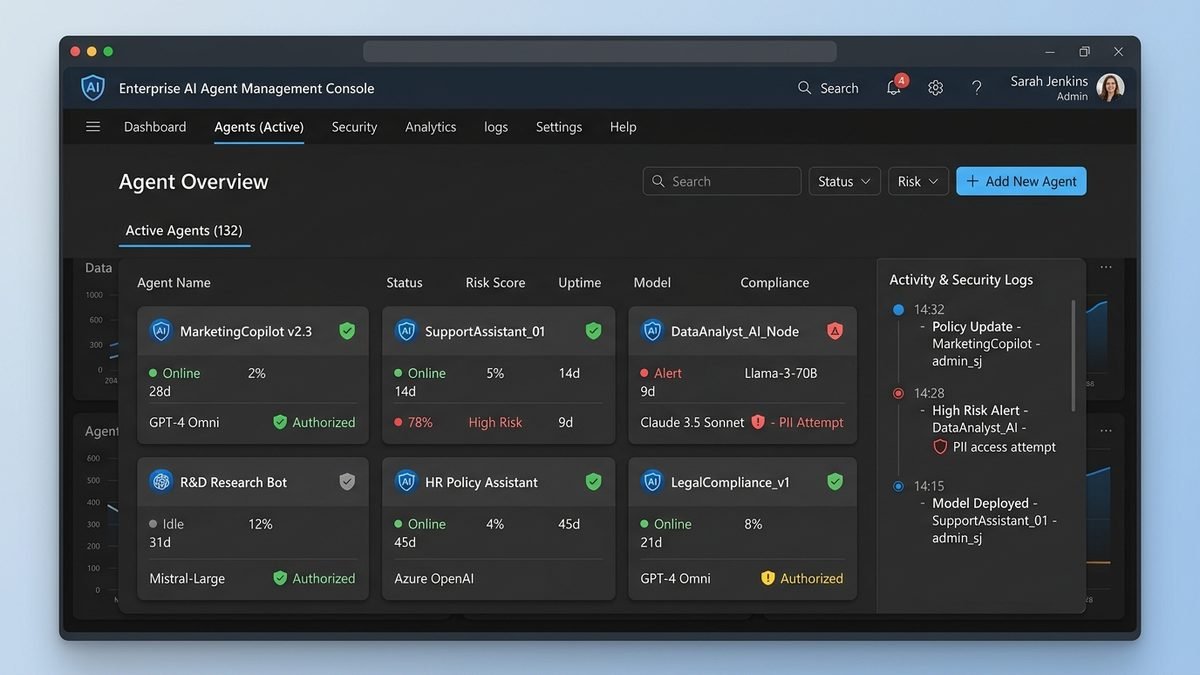
The agent registry gives a complete view of all agents in the organization, including:
– Agents with a formal agent ID
– Agents registered manually by IT
– Shadow agents — ones discovered operating without official approval
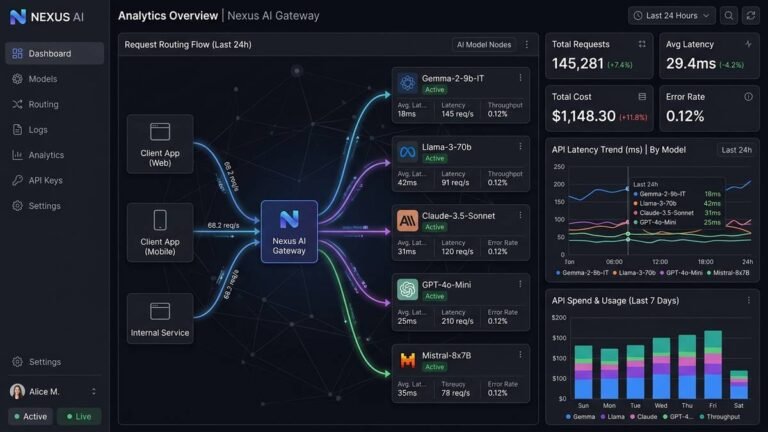
IT can visualize connections between agents, people, and data, and monitor agent behavior and performance in real time to assess business impact.
2. Governance — control what agents can do
- Access control: agents are brought under management with least-privilege access — each agent can only reach the resources it actually needs.
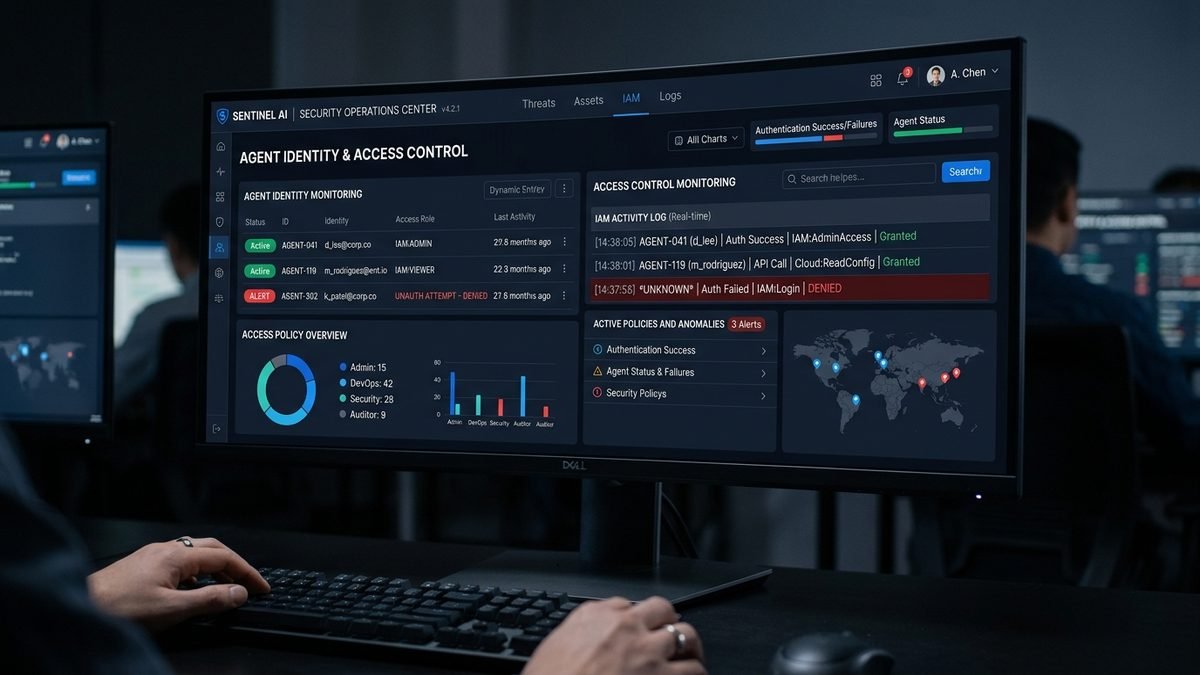
- Entra Agent ID: every agent gets an identity in Microsoft Entra, enabling risk-based conditional access policies (the same concept used for human users).
- Lifecycle management: onboarding, permission changes, and decommissioning handled from the Microsoft 365 admin center.
- Interop: agents can be equipped with Microsoft 365 apps and data, and connected to Work IQ to give them work context.
3. Security — protect agents and data
- Threat protection: Microsoft Defender inventories AI agents and extends threat detection to them — detecting, investigating, and remediating attacks that target agents.
- Data protection: Microsoft Purview applies data loss prevention to agent activity, including prompt inspection, sensitivity labels, and controls against oversharing or leaks from risky agent behavior.
- Quarantine: IT can isolate a malfunctioning or compromised agent the way they’d quarantine a suspicious device.
Which Agents Does It Cover?
One of Agent 365’s biggest selling points is that it isn’t limited to Microsoft-built agents. It governs agents built on:
- Microsoft platforms: Copilot Studio, Microsoft 365 declarative/custom agents, Microsoft Foundry Agent Service
- Partner ecosystems: Salesforce-based agents, ServiceNow, Zendesk, and others
- Open frameworks: LangChain, CrewAI, LlamaIndex, OpenAI Agents SDK, Microsoft Agent Framework
- Workflow tools: n8n integrates natively, giving n8n-built agents managed Microsoft 365 identities
- Any cloud: Azure, AWS, and Google Cloud — with cross-cloud registry sync (AWS Bedrock and Google Cloud connections), so a company’s agents are visible in one place no matter where they run
Launch partners from the Ignite announcement included Kore.ai and Reply, and the ecosystem has since expanded to names like Genspark, Zensai, and Egnyte. In short: if it’s an agent touching your organization’s data, Agent 365 wants it in the registry.
Microsoft Agent 365 Pricing in 2026
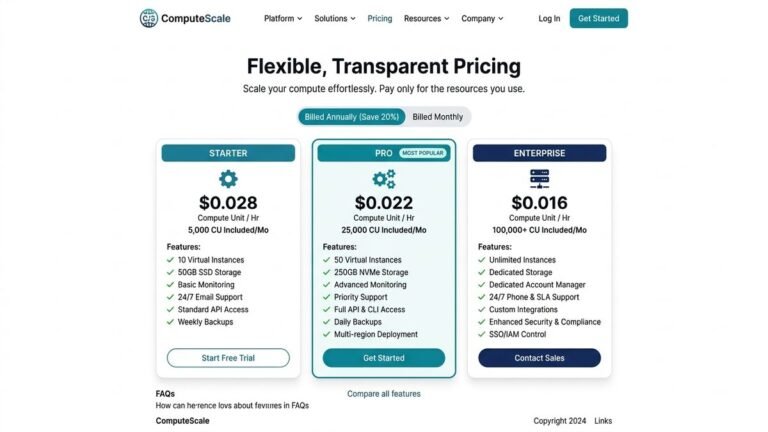
| Licensing option | Price | What you get |
|---|---|---|
| Agent 365 standalone | $15 per user/month | The Agent 365 control plane as an add-on |
| Microsoft 365 E7 bundle | $99 per user/month | Microsoft 365 E5 + Copilot + Agent 365 + Entra Suite (~15% savings vs. buying separately) |
The single most important licensing detail: Agent 365 is licensed per user, not per agent. Your agents do not need their own licenses. One licensed user covers the management of the organization’s agent estate — whether that’s ten agents or ten thousand.

This per-user model is deliberate. Microsoft’s licensing FAQ confirms it both for standalone purchases and for the E7 bundle: Agent 365 is organization-wide as a management surface, but user-scoped as a commercial license.
Is there a free trial or free tier?
Agent 365 is a separately licensed enterprise product — there is no free tier. Availability is tied to commercial licensing: it became generally available to business customers, and access requires either the standalone add-on or the E7 bundle. Organizations evaluating it typically do so through a proof-of-concept engagement with Microsoft or a partner rather than a self-serve trial.
Agent 365 vs. Copilot Studio vs. Foundry vs. Copilot Chat
The Microsoft AI stack has a lot of overlapping names. Here’s how the pieces fit:
| Product | Role | Analogy |
|---|---|---|
| Microsoft 365 Copilot Chat | The AI assistant end users talk to | The employee’s assistant |
| Copilot Studio | Low-code builder for creating agents | The factory that builds agents |
| Microsoft Foundry | Developer platform for pro-code AI apps and agents | The engineering workshop |
| Agent 365 | Control plane to observe, govern, and secure all agents | The HR + security department for the agent workforce |
You can build agents for years with Copilot Studio and never touch Agent 365 — until the day IT asks “how many agents do we actually have, and what can they access?” That’s the question Agent 365 answers.
Key Features in Detail
The agent registry
The registry (found in the Microsoft 365 admin center under Agents) is the heart of the product. It lists every known agent with its identity, owner, data access, and activity — plus discovered shadow agents that Defender and Intune surface automatically.
Entra Agent ID
Each agent gets a first-class identity in Microsoft Entra. That unlocks the identity controls enterprises already know: conditional access policies (“this agent may only access SharePoint from compliant contexts”), credential lifecycle, and audit trails of what each agent did.
Defender for agents
Microsoft Defender now inventories AI agents for security posture management across Copilot Studio, Foundry, AWS Bedrock, and GCP Vertex AI. If an agent starts behaving anomalously — exfiltrating data, hitting unusual endpoints — Defender can flag and help remediate it.
Purview guardrails
Microsoft Purview brings prompt inspection and online data loss prevention to agent traffic, plus sensitivity labels so agents handle confidential documents according to policy rather than by accident.
Windows 365 for Agents
A related piece of the puzzle: Windows 365 for Agents provides managed cloud-PC runtime infrastructure for agents that need a full Windows environment to work in. It entered public preview for US customers alongside the GA wave.
Multicloud and cross-cloud support
Agent 365 handles agents running on AWS (including Elastic Beanstalk) and Google Cloud Run, using Entra and Microsoft Graph for identity and governance — so hybrid estates don’t need a second governance tool.
Who Actually Needs Agent 365?
Strong fit:
– Enterprises with dozens or hundreds of agents across multiple teams and platforms
– Regulated industries (finance, healthcare, government) where every automated data access needs an audit trail
– Organizations already deep in the Microsoft stack (E5, Defender, Purview, Entra) — Agent 365 reuses those investments instead of adding a new console
– CTOs and CISOs being asked to prove AI agents are under control
Probably overkill:
– Small teams with a handful of Copilot Studio agents and no compliance burden
– Companies whose agents never touch sensitive data
– Organizations not on Microsoft 365 — the value proposition assumes Entra/Defender/Purview underneath
If you’re still at the stage of comparing AI assistants for everyday work rather than governing fleets of them, start with our ChatGPT vs Copilot comparison — and if you’re exploring xAI’s assistant, see how to use Grok AI. Agent 365 enters the picture once those experiments grow into production systems. It’s also worth watching alongside the broader enterprise AI shift — the same wave driving the latest quantum computing breakthroughs is pushing companies to rethink governance across their entire tech stack.
Getting Started: Proof of Concept
Microsoft and its partners run structured 4–6 week Agent 365 proof-of-concept programs. A typical PoC:
- Discover — connect Defender/Intune and inventory the agents already running (including shadow ones)
- Identify — mint Entra Agent IDs and assign owners
- Govern — apply conditional access and Purview DLP policies to agent traffic
- Operate — hand the registry and monitoring to IT as business-as-usual
Because Agent 365 reuses existing Entra, Purview, and Defender investments, there’s no separate governance platform to procure — the pitch is “one policy, one console, one audit trail.”
A Concrete Example: Agent 365 in Action
Imagine a logistics company running three agents: an inventory agent built in Copilot Studio, an out-of-stock alert agent built by a partner on Salesforce, and a forecasting script an analyst wired up in n8n that runs on AWS. Before Agent 365, each lives in its own world — three consoles, three permission models, three audit logs (if they log at all).
With Agent 365 in place:
- Discovery — Defender surfaces all three in the registry, including the n8n workflow IT never approved. Each gets an Entra Agent ID and an owner is assigned.
- Policy — IT applies one rule: agents may read inventory data but may not email external addresses. Purview enforces it on agent traffic automatically.
- Incident — the forecasting agent starts pulling customer PII it doesn’t need. Purview flags the DLP violation, Defender investigates, and IT quarantines the agent in one click while keeping its logs for review.
- Audit — at quarter end, compliance exports a single report: every agent, every data access, every policy decision.
That “one policy, one console, one audit trail” story is the entire product pitch in a paragraph.
Limitations and Honest Criticisms
Agent 365 isn’t above criticism:
- Microsoft-stack gravity. The value compounds if you already pay for E5, Defender, Purview, and Entra. Outside that ecosystem, much of the magic thins out — you’re buying a control plane whose sensors live in Microsoft products.
- Pricing is enterprise-only. There’s no self-serve tier, no per-agent option for small pilots, and $15/user/month adds up fast at enterprise seat counts. The E7 bundle softens it, but only if you wanted E7 anyway.
- Governance vs. velocity tension. Central registries and approval flows slow down the very experimentation that produces useful agents. Companies will need to tune policies so governance doesn’t strangle adoption — a cultural problem no product fully solves.
- It’s early. GA was May 2026. Cross-cloud sync features are still in preview, partner coverage is expanding monthly, and best practices are being written in real time by early adopters.
None of these are disqualifying — they’re the normal growing pains of a category-defining product. But go in clear-eyed: Agent 365 is a commitment to governing AI the Microsoft way.
Frequently Asked Questions
Is Microsoft Agent 365 the same as Microsoft 365 Copilot?
No. Microsoft 365 Copilot is the AI assistant for end users. Agent 365 is the management and governance platform for AI agents across the enterprise. They solve different problems and are licensed separately (though both are bundled in the Microsoft 365 E7 pack).
Do my AI agents each need an Agent 365 license?
No. Agent 365 is licensed per user, not per agent. Agents get free Entra Agent IDs for identity; the paid license covers the human users/administrators and the management surface.
Does Agent 365 work with non-Microsoft agents?
Yes — that’s a core design goal. It governs agents built with Copilot Studio, Foundry, Salesforce, LangChain, CrewAI, n8n, and others, running on Azure, AWS, or Google Cloud.
Can Agent 365 find agents IT doesn’t know about?
Yes. Discovery of “shadow agents” is one of its headline features, using Defender and Intune signals plus the central registry to surface agents operating outside official channels.
What happens if an agent goes rogue?
IT can quarantine the agent — cutting its access while preserving it for investigation — similar to isolating a compromised laptop. Defender provides detection and investigation tooling for agent-targeted attacks.
How is Agent 365 different from Copilot Studio’s built-in governance?
Copilot Studio governs the agents built inside Copilot Studio. Agent 365 governs the entire estate: Copilot Studio agents plus everything built elsewhere, in one registry with one policy set.
Can small businesses use Agent 365?
Technically yes, but it’s designed and priced for mid-market and enterprise organizations. A small team with a handful of agents will get more value from the governance features built into Copilot Studio itself. Agent 365 earns its keep when agent sprawl — dozens of agents across teams, tools, and clouds — becomes a genuine risk.
Does Agent 365 replace Microsoft Purview or Defender?
No — it extends them. Purview still handles data protection policy; Defender still handles threat detection. Agent 365 is the coordination layer that applies those tools’ capabilities specifically to AI agents, with the agent registry and Entra Agent ID as the connective tissue.
The Bottom Line
Microsoft Agent 365 is infrastructure for a near future Microsoft is betting heavily on: enterprises running hundreds or thousands of AI agents. It doesn’t build agents or chat with users — it answers the unglamorous but critical questions: what agents do we have, what can they touch, and are they behaving?
At $15 per user per month (or bundled in the $99 Microsoft 365 E7 pack), it’s priced as enterprise infrastructure, not as a per-agent tax — which makes the math work even as agent counts explode. If your organization is moving from AI experiments to AI operations, Agent 365 is the control plane Microsoft wants you to buy. If you’re still figuring out which assistant to use day to day, you’ve got time — but it’s worth understanding where the enterprise market is heading.
Official resources: Microsoft Agent 365 product page · Responsible AI FAQ on Microsoft Learn