Portkey Explained: The AI Gateway for LLMOps — Features & Setup
Every team that ships an AI feature eventually hits the same wall. It starts with one API key and one model. Then comes a second model for a different task, a fallback for when the first provider has an outage, a caching layer to control costs, usage dashboards for the finance team, guardrails for compliance — and suddenly half your engineering sprint is spent on LLM infrastructure instead of your product.
Portkey exists to absorb all of that. It is an AI gateway: a single control plane that sits between your application and 1,600+ large language models, giving you one API to call, one dashboard to watch, and one place to enforce guardrails, caching, and budgets. In 2026 it also became one of the most interesting infrastructure stories in AI — open-sourcing its gateway and making enterprise features free.
This guide explains what Portkey is, how it works, what it costs, and whether your team needs it. If you are still choosing which AI assistant to build on, our ChatGPT vs Copilot comparison and guide on how to use Grok AI cover the model side of the equation.
What Is Portkey? The 30-Second Version
Portkey (at portkey.ai) is an LLMOps platform — infrastructure software for teams running large language models in production. Its core product is an AI gateway: instead of your app calling OpenAI, Anthropic, Google, and Azure directly, it calls Portkey once, and Portkey routes the request to whichever provider and model you configured.
Think of it like a load balancer and observability stack purpose-built for AI: one unified OpenAI-compatible API signature in front of 1,600+ models from OpenAI, Anthropic, Google, AWS Bedrock, Azure OpenAI, Groq, Together AI, Mistral, Cohere, and hundreds more. Swap providers without rewriting application code. Add fallbacks, caching, and guardrails in configuration instead of code.
The company made waves in early 2026: in February it raised a $15M Series A and simultaneously made its enterprise gateway free and fully open source under the MIT license — a notable shift for a product that started as closed SaaS.
The Problem Portkey Solves
A production AI feature needs more than a model API key. It needs:
- Reliability — what happens when your primary provider has an outage at 2 AM?
- Cost control — who is spending what, on which model, and how do you stop a runaway agent?
- Observability — full request logs, latency traces, and token usage per team and per feature.
- Safety — PII redaction, jailbreak detection, and content moderation before requests reach users.
- Flexibility — the ability to switch models when a better or cheaper one launches, without a rewrite.
Building all of this in-house takes months. Portkey ships it as configuration. That is the entire pitch, and for teams past the prototype stage, it is a compelling one.
How Portkey Works
The architecture is straightforward:
- Your app calls Portkey’s API using the standard OpenAI chat-completions format. If you already use the OpenAI SDK, integration is a base-URL change.
- A virtual key selects the configuration — which provider, which model, which fallback chain, which guardrails, which cache settings.
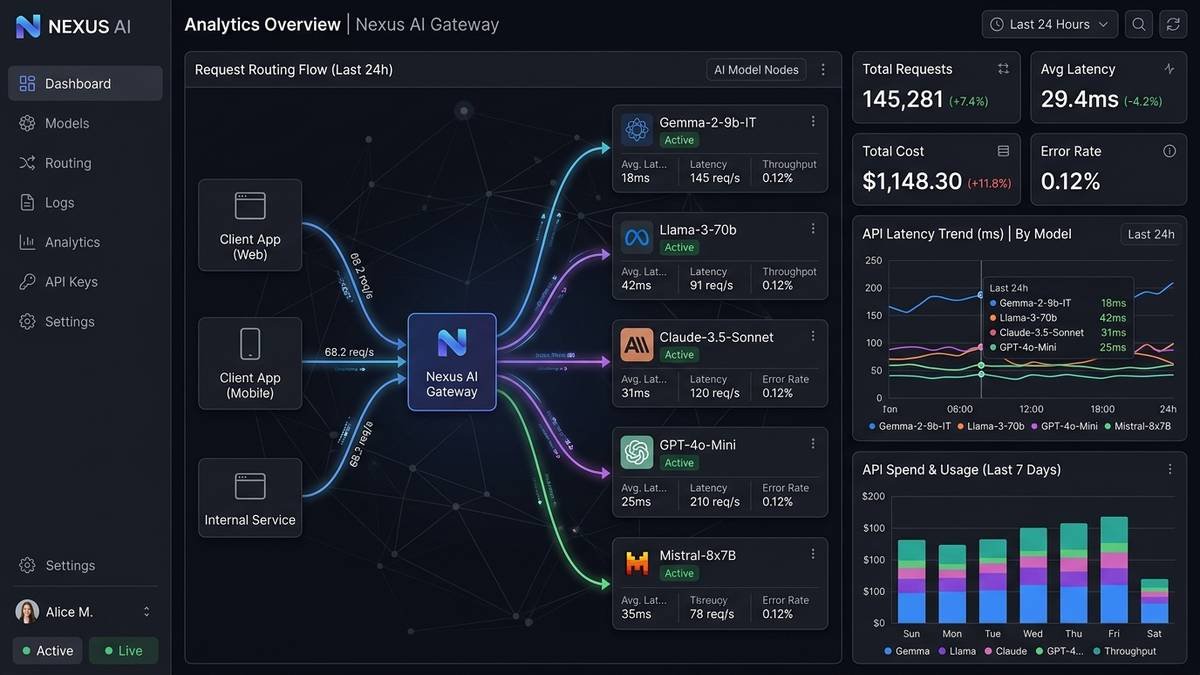
- Portkey routes the request, applies guardrails, checks the cache, records the full log and trace, enforces budgets, and returns the response.
Because the interface is OpenAI-compatible, Portkey works with the existing ecosystem: LangChain, LlamaIndex, Vercel AI SDK, and any tool that speaks the OpenAI wire format. The official documentation covers provider-specific setup for each of the 1,600+ supported models.
Key Features
Unified gateway: one API, 1,600+ models
The headline feature. Every provider behind one signature means model swaps are config changes, not code changes. When a new model launches — and in 2026 they launch weekly — you can evaluate it against your current choice in an afternoon. For a sense of how fast the model landscape moves, see our roundup of the latest quantum computing breakthroughs — AI infrastructure has to keep pace with research moving at the same speed.
Fallbacks and load balancing
Configure automatic fallback chains: if OpenAI times out, retry on Anthropic; if Anthropic rate-limits, spill over to Google. Load balancing strategies include weighted round-robin and cost-optimized routing. For production AI features, this is the difference between a provider outage being your problem and being nobody’s problem.
Observability: logs, traces, and cost dashboards
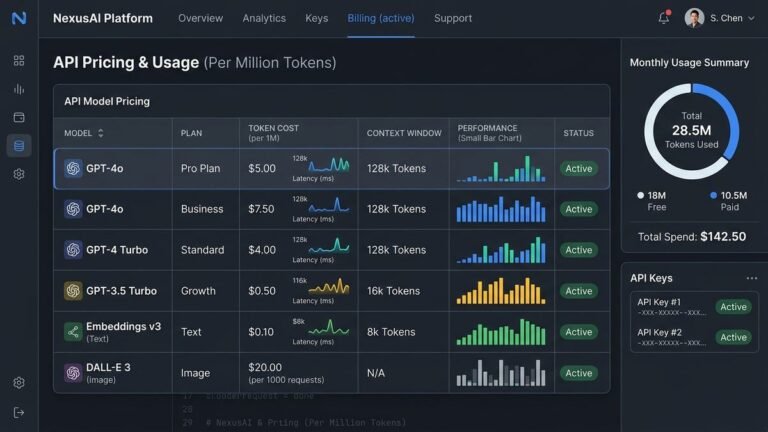
Every request gets a full log with latency breakdown, token counts, and cost attribution — per API key, per team, per feature. The dashboard answers the questions finance always asks (“why did the AI bill triple in March?”) and the questions engineering always asks (“which calls are slow?”). OpenTelemetry export plugs traces into existing observability stacks.
50+ guardrails
Content moderation, PII redaction, and jailbreak detection run as configurable hooks on requests and responses. This is the compliance layer: strip social security numbers before they reach a model, block prompt-injection attempts, enforce tone policies. Enterprise tiers add custom guardrail hooks and HIPAA-ready configurations.
Caching: exact-match and semantic
Exact-match caching eliminates repeat spend on identical requests; semantic caching goes further, returning cached responses for semantically similar prompts. For chatbots and support copilots with repetitive query patterns, caching routinely cuts API spend by 30–60%.
Prompt management
Versioned prompt templates, a prompt registry, and a playground tied to production. If your team treats prompts as first-class, versioned artifacts — with non-engineers iterating on them — Portkey’s prompt tooling is more mature than most alternatives. Test a prompt version in the playground, deploy it, and roll back if metrics regress.

Portkey Pricing in 2026
Portkey’s hosted pricing runs in tiers based on request/log volume. Two of the tiers are free, for different reasons:
| Tier | Price | What you get |
|---|---|---|
| Open Source | Free (self-hosted) | Full gateway, MIT-licensed, no log limits — you run the infrastructure |
| Developer | Free | 10,000 requests/month, logs & analytics, prompt management, 3-day log / 30-day metric retention |
| Production | $49/month | 100,000 requests/month, 30-day log / 90-day metric retention, semantic caching, LLM guardrails; $9 per additional 100k requests (up to 3M/month) |
| Enterprise | Custom | 10M+ requests/month, VPC hosting, custom guardrail hooks, dedicated support, SOC 2 Type 2 / ISO 27001 / GDPR / HIPAA |
The important nuance: Portkey charges for the gateway, not the models. Your OpenAI/Anthropic/Google API spend is separate — you bring your own provider keys, and Portkey meters the requests flowing through it. At 25M+ requests served daily with 99.99% uptime claimed, the hosted tier is proven at serious scale.
The open-source route deserves emphasis: since the gateway is MIT-licensed and public on GitHub, teams with DevOps capacity can self-host the entire thing for free with no request limits. The managed tiers exist for teams that would rather not operate proxy infrastructure.

Portkey vs. the Alternatives
The AI gateway space got crowded fast. How Portkey compares to the main alternatives:
| Portkey | LiteLLM | OpenRouter | Cloudflare AI Gateway | |
|---|---|---|---|---|
| Model | Gateway + LLMOps platform | Open-source router/proxy | Model aggregator/marketplace | Edge gateway (Cloudflare network) |
| Open source | Yes (MIT) | Yes (MIT) | No | Partial |
| Bring your own keys | Yes | Yes | No (pay through OpenRouter) | Yes |
| Guardrails | 50+ built in | Basic | Limited | Basic |
| Prompt management | Full registry + playground | Minimal | No | No |
| Caching | Exact + semantic | Exact-match | No built-in layer | Yes |
| Best for | Teams wanting full LLMOps | Devs wanting a free router | Quick multi-model access | Teams already on Cloudflare |
The honest summary: LiteLLM is the lighter, fully self-hosted router many developers start with; OpenRouter is the fastest way to try many models without managing keys (at the cost of markup and no BYOK); Cloudflare’s gateway is compelling if you already live on Cloudflare’s edge. Portkey wins when you want the complete operations package — observability, guardrails, prompt versioning, and compliance — in one managed product.
Who Should Use Portkey?
Portkey is worth evaluating if:
– Your app calls LLMs in production (not just prototypes) across more than one provider or model.
– You have had — or fear — a provider outage taking down a user-facing feature.
– Finance wants per-team AI spend attribution, or compliance wants guardrails and audit logs.
– You want to switch models regularly without rewriting integration code.
You probably do not need it if:
– You are prototyping with a single model and a single API key. Add the gateway when you graduate to production.
– Your AI usage is trivial in volume — the free Developer tier covers 10k requests/month, but below that, direct API calls are simpler.
– You need image/video generation routing — Portkey is focused on text and agents; some competitors route generative media through the same API.
Getting Started with Portkey
The fastest path to a working setup:
- Create an account at portkey.ai — the Developer tier is free with no credit card.
- Add your provider API keys in the dashboard (OpenAI, Anthropic, Google, etc.). Portkey never trains on your data; keys are used only to route your requests.
- Create a virtual key — this is your config bundle: default provider and model, fallback chain, cache settings, guardrails.
- Point your app at Portkey by changing the base URL in your OpenAI-compatible client to Portkey’s endpoint and swapping in the virtual key.
- Watch the dashboard as requests flow: logs, latency, cost per key, cache hit rates.
The whole flow takes under 30 minutes for a standard chat-completions integration. The docs walk through framework-specific setups for LangChain, Vercel AI SDK, and others.
Portkey Security and Compliance Deep Dive
For enterprise buyers, the gateway question is really a trust question: you are routing every AI request — potentially containing customer data — through a third party. Portkey’s compliance posture is built for that scrutiny:
- Certifications. The Enterprise tier carries SOC 2 Type 2, ISO 27001, and GDPR compliance, with HIPAA-ready configurations available through Portkey’s Trust Vault. These are the checkboxes enterprise security reviews require.
- Data handling controls. Portkey can be configured to not store request or response bodies in its datastores or logs — request metadata for observability without retaining the payload. For the strictest environments, the self-hosted open-source gateway keeps everything inside your own VPC.
- PII redaction as a guardrail. Rather than trusting every downstream model provider with raw user input, PII redaction runs at the gateway: social security numbers, emails, and custom patterns are stripped before the request ever leaves your perimeter.
- Audit trails. Full request logs with retention policies, SSO with any OIDC provider, RBAC, and log export to your own storage (GCS, Azure Blob) give compliance teams the paper trail they need.
The pragmatic takeaway: if your AI feature touches regulated data, evaluate the Enterprise tier or self-host. If it does not, the standard hosted tiers’ controls are more than adequate.
A Closer Look at the Developer Experience
Beyond the feature list, Portkey’s day-to-day experience is what keeps teams on it:
- The playground. Test prompts against any configured model without writing code, then promote a working prompt to a versioned template. Non-engineers — product managers, prompt designers — can iterate on prompts directly, which unblocks the workflow where engineers were the bottleneck.
- Virtual keys as environments. Create separate keys for development, staging, and production, each with its own model, fallbacks, budgets, and guardrails. Promoting a config from staging to production is a key swap, not a deploy.
- Canary model rollouts. Route 5% of traffic to a new model and compare quality, latency, and cost against the incumbent in the dashboard before committing. In a year when models launch monthly, this is how you stay current without gambling production traffic.
- Spend alerts that actually help. Per-key budgets with alerts mean the runaway-agent scenario — the nightmare of metered AI billing — gets caught by configuration instead of by finance three weeks later.
None of this is revolutionary in isolation. The value is that it is all in one place, configured rather than coded, which is exactly what infrastructure software is supposed to do.
Portkey Pricing Scenarios: What Teams Actually Pay
Abstract tiers are one thing; concrete bills are another. Three realistic scenarios:
- Solo developer, side project: Developer tier, $0. 10,000 requests/month covers most side projects comfortably. Your model spend goes directly to OpenAI/Anthropic — Portkey adds nothing to the bill.
- Startup, production AI feature, 200k requests/month: Production tier at $49 + $9 for the extra 100k requests = $58/month for the gateway, plus your underlying model spend. Semantic caching typically offsets this several times over on repetitive workloads.
- Scale-up, 2M requests/month: Production tier at $49 + overage. At $9 per additional 100k requests, 1.9M extra requests = $171 overage, for $220/month total gateway cost. This is the point where teams start comparing against the Enterprise tier’s custom pricing — and against self-hosting the open-source gateway, which eliminates the gateway bill entirely in exchange for ops effort.
The pattern: the gateway cost is almost always dwarfed by the underlying model spend it manages. A team spending $5,000/month on model APIs will not notice a $58 gateway bill — especially when the gateway’s caching and routing are saving them $1,000+ on the model side.
Frequently Asked Questions
Is Portkey free?
Yes, in two ways. The gateway itself is open source (MIT) and free to self-host with no limits. The hosted Developer tier is free forever at 10,000 requests per month. Paid hosted tiers start at $49/month.
Does Portkey replace my OpenAI or Anthropic subscription?
No. Portkey is a gateway, not a model provider — you bring your own provider API keys, and model usage is billed by the providers separately. Portkey charges for the routing, observability, and governance layer.
What is the difference between Portkey and LiteLLM?
Both are AI gateways and both are open source. LiteLLM is a lighter-weight router/proxy popular with individual developers; Portkey is a fuller LLMOps platform with deeper observability, 50+ guardrails, prompt versioning, and compliance certifications aimed at teams and enterprises.
Can Portkey really cut my AI costs?
The gateway itself does not make models cheaper, but its cost levers are real: semantic caching (30–60% savings on repetitive workloads), cost-optimized routing across providers, and per-key budgets that prevent runaway spend. The savings come from control, not discounts.
Is Portkey enterprise-ready?
The Enterprise tier carries SOC 2 Type 2, ISO 27001, GDPR, and HIPAA-ready configurations, with VPC hosting and dedicated support. The company reports serving 25M+ requests daily at 99.99% uptime.
Do I need Portkey if I only use one model?
Probably not yet. A gateway earns its keep with multiple models, fallbacks, and governance needs. Prototype directly against the provider; add Portkey when you move to production or add a second model.
Final Thoughts
Portkey is infrastructure for the phase of AI adoption most teams are entering now: past the prototype, into production, where reliability, cost control, and compliance matter as much as model quality. One unified API across 1,600+ models, automatic fallbacks, deep observability, 50+ guardrails, and serious caching — with a genuinely free tier and a fully open-source core — makes it the default evaluation for any team running LLMs at scale.
It is not the only gateway, and for single-model prototypes it is overkill. But if your AI feature has users, a budget, and a compliance checklist, a gateway stops being optional. Start with the free Developer tier or the self-hosted open-source build, and let the dashboard tell you whether the Production tier pays for itself — for most growing teams, the caching savings alone cover the $49.